
AMD Ryzen 5 9500F vs 7500F: Complete Performance Review
Understanding the Basics
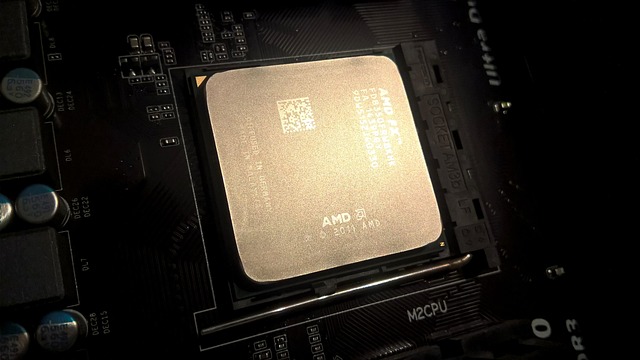
The AMD Ryzen 5 7500F was released as part of the Ryzen 7000 series lineup, representing AMD’s first consumer desktop processors built on the Zen 4 architecture. This processor features 6 cores and 12 threads, with a base clock of 3.7 GHz and a boost clock reaching up to 5.0 GHz. It’s manufactured using TSMC’s 5nm process technology, which provides excellent power efficiency and thermal characteristics. The 7500F requires an AM5 socket motherboard and supports DDR5 memory exclusively, marking a significant platform transition from the older AM4 socket. The processor comes with 32MB of L3 cache and has a TDP (Thermal Design Power) of 65W, making it relatively easy to cool with even budget air coolers. One of the standout features of the Ryzen 7000 series is the support for PCIe 5.0, which future-proofs the platform for upcoming storage and graphics card technologies.
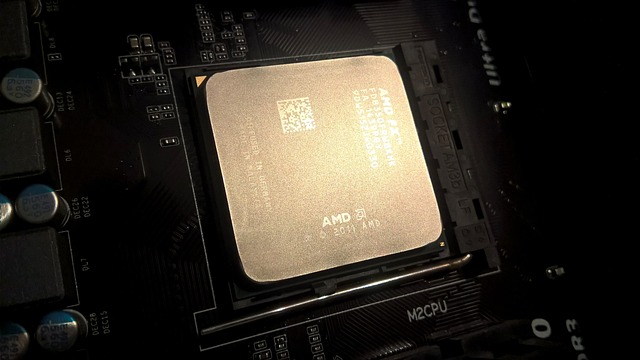
The AMD Ryzen 5 9500F, on the other hand, represents the evolution to Zen 5 architecture within the Ryzen 9000 series. While maintaining the same 6-core, 12-thread configuration, the 9500F benefits from architectural improvements that deliver better instructions per clock (IPC) performance. The Zen 5 architecture introduces enhanced branch prediction, wider execution units, and improved cache hierarchy, all of which contribute to measurable performance gains in both single-threaded and multi-threaded workloads. The manufacturing process remains advanced, continuing to leverage cutting-edge semiconductor technology. Like its predecessor, the 9500F also uses the AM5 socket and supports DDR5 memory, ensuring platform consistency and upgrade compatibility. The cache configuration and TDP remain similar, but the efficiency improvements mean you get more performance per watt consumed.
Key Methods
Step 1: Evaluating Gaming Performance
Gaming performance is often the primary concern for users considering these processors, and both the 7500F and 9500F deliver excellent results in this category. When testing popular titles like Cyberpunk 2077, Red Dead Redemption 2, and competitive esports games such as Counter-Strike 2 and Valorant, both processors demonstrate their capability to drive high frame rates when paired with appropriate graphics cards. The 7500F already established itself as a capable gaming CPU, rarely bottlenecking mid-range to high-end graphics cards at 1440p and 4K resolutions. Its high boost clocks ensure that games demanding strong single-thread performance run smoothly. However, the 9500F takes gaming performance a step further with its improved IPC and architectural enhancements. In CPU-bound scenarios, particularly at 1080p resolution with high-end graphics cards, the 9500F can deliver 5-10% higher frame rates in many titles. This improvement comes from the Zen 5 architecture’s better branch prediction and lower latency cache access. For competitive gamers seeking every possible frame rate advantage, or for those playing simulation games and strategy titles that heavily utilize CPU resources, the 9500F’s improvements become more noticeable. The performance gap narrows at higher resolutions where the GPU becomes the primary bottleneck, but the 9500F maintains its lead in minimum frame rates and frame time consistency, which translates to smoother gameplay experiences.
Step 2: Analyzing Productivity and Content Creation
Beyond gaming, many users rely on their processors for productivity tasks, content creation, and multitasking workloads. Both the 7500F and 9500F feature 6 cores and 12 threads, which provides solid performance for tasks like video editing, 3D rendering, photo processing, and software development. In applications like Adobe Premiere Pro, DaVinci Resolve, and Blender, the multi-threaded nature of these processors shines through, allowing for reasonable render times and smooth timeline scrubbing. The 7500F handles 1080p video editing with ease and can manage 4K workflows when paired with sufficient RAM and fast storage. Its Zen 4 architecture already represented a significant leap in efficiency compared to previous generations. The 9500F builds upon this foundation with its Zen 5 improvements, delivering approximately 8-15% better performance in multi-threaded workloads depending on the specific application. This translates to faster compile times for developers, quicker video exports for content creators, and more responsive multitasking when running numerous applications simultaneously. The improved IPC also benefits productivity applications that can’t fully utilize all cores, such as certain CAD software and productivity suites like Microsoft Office. When considering these processors for work-related tasks, it’s important to evaluate your specific workflow requirements, as the performance gains of the 9500F may justify its higher cost for professionals who value time savings.
Step 3: Considering Platform and Upgrade Path
One of the most important factors when choosing between the 7500F and 9500F is the platform ecosystem and future upgrade potential. Both processors utilize AMD’s AM5 socket, which represents a significant advantage for long-term system planning. AMD has committed to supporting the AM5 platform through 2027 and beyond, meaning motherboard investments will remain relevant for multiple processor generations. This is particularly important when starting with a budget-oriented processor like the 7500F or 9500F, as you can later upgrade to higher-tier Ryzen 9000 or future Ryzen processors without replacing the motherboard. The AM5 platform requires DDR5 memory, which was initially expensive but has become much more affordable and offers significant bandwidth advantages over DDR4. When building around either processor, you’ll need to invest in a compatible motherboard, with options ranging from budget B650 boards to premium X670E models supporting advanced features. The platform supports PCIe 5.0 for both graphics cards and NVMe storage, ensuring compatibility with the fastest storage devices currently available and future graphics cards. If you’re building a new system from scratch, both processors offer the same platform advantages. However, if you already own an AM5 motherboard with a different processor and are considering an upgrade, the 9500F represents a more meaningful performance increase, making it the more sensible choice for existing AM5 users looking to boost their system’s capabilities.
Practical Tips
**Tip 1: Match Your Processor with an Appropriate Graphics Card** – When building a gaming PC with either the 7500F or 9500F, it’s crucial to pair the processor with a graphics card that balances the system’s performance. Both processors can handle high-end graphics cards without significant bottlenecking at 1440p and 4K resolutions, but at 1080p, you’ll want to ensure the pairing makes sense. For the 7500F, ideal GPU pairings include the NVIDIA RTX 4060 Ti, RTX 4070, or AMD RX 7700 XT and RX 7800 XT. These combinations provide excellent 1440p gaming performance without the processor limiting the GPU’s potential. The 9500F’s slightly better gaming performance allows it to extract a bit more from high-end cards like the RTX 4070 Ti or RX 7900 GRE, particularly in competitive gaming scenarios where every frame counts. Avoid pairing either processor with extremely budget GPUs like the RTX 4050 or RX 7600, as you’d be underutilizing the CPU’s capabilities. Conversely, while both can technically work with flagship GPUs like the RTX 4090, you might experience minor bottlenecks in CPU-intensive games at 1080p.
**Tip 2: Optimize Your Cooling Solution** – Both the Ryzen 5 7500F and 9500F are 65W TDP processors, which makes them relatively easy to cool compared to higher-end models. However, proper cooling still impacts boost clock sustainability and overall system longevity. For the 7500F, a quality tower air cooler in the $30-50 range, such as the Thermalright Peerless Assassin 120 SE or DeepCool AK400, provides excellent thermal performance while remaining quiet. These coolers can easily maintain the processor at safe temperatures even under sustained loads, allowing it to maintain its 5.0 GHz boost clocks. The 9500F, with its improved efficiency, runs even cooler under similar workloads, but investing in good cooling still pays dividends through quieter operation and potential for manual overclocking or PBO (Precision Boost Overdrive) tuning. If you prefer liquid cooling, a 240mm AIO provides more than sufficient cooling capacity for either processor and offers aesthetic benefits for windowed cases. Avoid using the most basic stock coolers if possible, as they may struggle under heavy sustained loads and create unnecessary noise. Proper case airflow with at least two intake and two exhaust fans also contributes significantly to maintaining optimal CPU temperatures.
**Tip 3: Configure Memory Settings Correctly** – Memory performance has a substantial impact on Ryzen processor performance, and the AM5 platform’s DDR5 support opens up new performance optimization opportunities. For the 7500F, aim for DDR5 memory rated at least DDR5-5600 or DDR5-6000, as these speeds provide the best price-to-performance ratio and align well with the processor’s Infinity Fabric capabilities. Enable EXPO (Extended Profiles for Overclocking) in your motherboard’s BIOS to ensure the memory runs at its rated speeds rather than default JEDEC specifications. The 9500F benefits similarly from fast memory, with DDR5-6000 or DDR5-6400 offering optimal performance in most scenarios. Tighter timings (lower CL values) also contribute to better performance, so when shopping for memory, look for kits with CL30 or lower at your target speed. Ensure you install memory modules in the correct slots (typically slots A2 and B2 on four-slot motherboards) to enable dual-channel mode, which effectively doubles memory bandwidth. For users seeking maximum performance, manually tuning memory timings can yield additional gains, but this requires research and careful testing to maintain system stability.
**Tip 4: Consider the Total Platform Cost** – When comparing the 7500F and 9500F, it’s essential to consider the total cost of building around each processor, not just the CPU price difference. Since both use the AM5 platform, the motherboard and memory costs remain identical, which means the decision primarily comes down to the processor price difference and the performance gain you receive. If the 9500F costs 15-20% more than the 7500F but delivers 8-12% better performance, you need to evaluate whether that premium aligns with your budget and performance requirements. For budget-conscious builders targeting 1080p gaming with mid-range graphics cards, the 7500F often represents the better value proposition, allowing you to allocate more budget toward a better graphics card or additional SSD storage. However, for users planning to keep their system for 4-5 years, the 9500F’s superior architecture may provide better longevity, maintaining relevant performance longer as games and applications become more demanding. Consider your specific use case: if you’re primarily gaming at 1440p or 4K, the performance difference between these processors becomes less significant compared to your graphics card choice. If you’re doing substantial productivity work or competitive gaming at 1080p, the 9500F’s advantages become more pronounced and may justify the additional investment.
Important Considerations
Before committing to either the Ryzen 5 7500F or 9500F, several important factors deserve careful consideration. First, both processors lack integrated graphics, meaning you absolutely must have a discrete graphics card for your system to display anything. This isn’t negotiable—without a GPU, your system won’t boot to a visible display. This makes these processors unsuitable for basic office builds or HTPC systems where integrated graphics would suffice. Ensure your budget accounts for at least a basic graphics card if you’re building a productivity-focused system. Second, the AM5 platform exclusively supports DDR5 memory, which means you cannot reuse DDR4 memory from previous builds. While DDR5 prices have decreased substantially since the platform’s launch, it still represents an additional cost compared to DDR4 systems. Third, carefully research motherboard compatibility and BIOS versions. The 9500F, being a newer processor, may require a BIOS update on some motherboards manufactured earlier in the AM5 platform’s lifecycle. Most motherboards now ship with updated BIOS versions, but if you purchase older stock, you might encounter compatibility issues. Some motherboards feature BIOS flashback functionality, allowing you to update the BIOS without a compatible CPU installed, but not all budget boards include this feature. Fourth, consider your power supply requirements—while both processors have modest power consumption, your total system power draw depends primarily on your graphics card choice. Ensure your PSU has sufficient wattage and the necessary PCIe power connectors for your chosen GPU. Finally, think about your actual performance needs realistically. Both processors deliver excellent gaming performance that exceeds the capabilities of most monitors at higher resolutions. If you’re gaming at 1440p or 4K, your graphics card will be the primary performance determinant, making the CPU choice less critical to your gaming experience.