

How to Buy Bitcoin on Binance App: Complete Beginner’s Guide 2025
How to buy cryptocurrency has become one of the most frequently asked questions in the digital finance world. With the rise of Bitcoin and other cryptocurrencies, millions of people worldwide are looking for safe, reliable platforms to make their first crypto purchase. Binance, as the world’s largest cryptocurrency exchange by trading volume, offers one of the most user-friendly mobile applications for beginners. This comprehensive guide will walk you through every step of buying Bitcoin on the Binance app, from account creation to securing your first digital asset.
Understanding the Basics
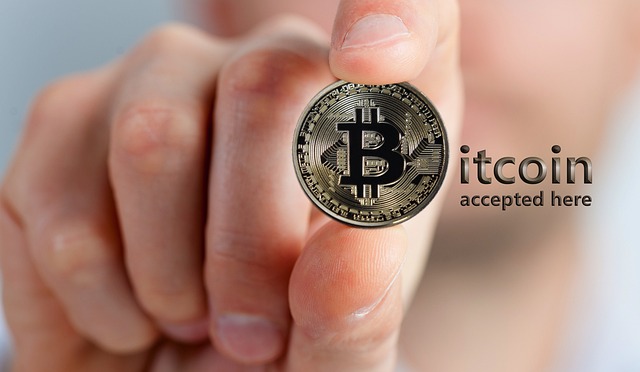
Before diving into the purchasing process, it’s essential to understand what you’re getting into. Bitcoin is a decentralized digital currency that operates without a central bank or single administrator. It can be sent from user to user on the peer-to-peer Bitcoin network without the need for intermediaries. When you buy Bitcoin on Binance, you’re purchasing actual cryptocurrency that you can hold, trade, or transfer to external wallets.
Binance serves as an intermediary platform that connects buyers and sellers. The app provides multiple purchasing methods including credit/debit cards, bank transfers, P2P trading, and third-party payment processors. Each method has different processing times, fees, and limits. Understanding these differences will help you choose the most suitable option for your needs.
The Binance app is available for both iOS and Android devices, offering a mobile-first experience that’s particularly appealing to newer crypto investors. The interface is designed to be intuitive while still providing access to advanced trading features as you grow more comfortable with cryptocurrency trading. Security is paramount when dealing with digital assets, and Binance implements multiple layers of protection including two-factor authentication (2FA), withdrawal whitelist addresses, and anti-phishing codes to protect your account and funds.

Key Methods
Step 1: Account Setup and Verification
The first crucial step in buying Bitcoin on Binance is creating and verifying your account. Download the Binance app from the official App Store or Google Play Store – never download from third-party sources as this could expose you to security risks. Once installed, open the app and tap “Register” to begin the signup process.

You’ll need to provide a valid email address or phone number, create a strong password, and agree to Binance’s terms of service. After registration, you’ll receive a verification code to confirm your email or phone number. This basic registration allows you to explore the platform, but you’ll need to complete identity verification (KYC – Know Your Customer) before you can purchase cryptocurrency.
The verification process requires you to provide personal information including your full name, date of birth, residential address, and a government-issued ID such as a passport or driver’s license. You’ll also need to take a selfie for facial recognition verification. This process typically takes anywhere from a few minutes to 24 hours depending on verification volume. While this might seem intrusive, it’s a necessary regulatory requirement that protects both you and the platform from fraud and money laundering.
Step 2: Adding Payment Methods
Once your account is verified, the next step is adding a payment method. Navigate to the “Wallets” section and select “Fiat and Spot.” Tap on “Deposit” and choose your preferred currency (USD, EUR, GBP, etc.). Binance offers several deposit options depending on your location.
For credit or debit card purchases, you’ll need to add your card details to the platform. Binance partners with several third-party payment processors including Simplex, Paxful, and Banxa. Each processor may have different fees and limits, so it’s worth comparing options. Card purchases are instant but typically come with higher fees (usually 2-4%) compared to bank transfers.
Bank transfers (ACH in the US, SEPA in Europe) are often the most cost-effective method but may take 1-5 business days to process. To set up a bank transfer, you’ll need to link your bank account by providing your account number and routing information. Some regions also support faster payment methods like Faster Payments (UK) or PIX (Brazil) which combine the low fees of bank transfers with near-instant processing times.
Step 3: Making Your First Bitcoin Purchase
With your account verified and payment method added, you’re ready to buy Bitcoin. There are two main ways to purchase on the Binance app: the “Buy Crypto” feature for quick purchases or the trading interface for more control over price and fees.
For beginners, the “Buy Crypto” option is the simplest route. From the home screen, tap “Buy Crypto” and select your payment method (Credit/Debit Card, Cash Balance, Bank Deposit, or P2P Trading). Enter the amount you want to spend in your local currency, and the app will automatically calculate how much Bitcoin you’ll receive after fees. Review the transaction details carefully, including the exchange rate and any processing fees, then confirm your purchase.
The Bitcoin will typically appear in your Binance Spot Wallet within minutes for card purchases, or after the bank transfer clears for bank deposits. You can view your holdings by navigating to “Wallets” > “Fiat and Spot” > “BTC.” For those who want more control over their purchase price, the trading interface allows you to place limit orders or market orders, though this requires a bit more understanding of cryptocurrency trading mechanics.
Practical Tips
**Start Small and Learn Gradually**: When making your first Bitcoin purchase, resist the temptation to invest a large amount immediately. Start with a small amount you’re comfortable potentially losing while you learn how the platform works. This approach minimizes risk while you familiarize yourself with cryptocurrency volatility, wallet management, and security practices. As you gain confidence and understanding, you can gradually increase your investment amounts. Remember that cryptocurrency markets are highly volatile, and prices can fluctuate significantly within short periods. Starting small allows you to experience this volatility firsthand without exposing yourself to excessive financial risk.
**Understand Fees Before Buying**: Different purchase methods on Binance come with varying fee structures. Credit card purchases are convenient but typically carry fees of 2-4% plus potential foreign transaction fees from your card issuer. Bank transfers usually have much lower fees (often 0-0.5%) but take longer to process. P2P trading can offer competitive rates but requires more active participation. Before making a purchase, compare the total cost including all fees across different methods. Sometimes waiting an extra day or two for a bank transfer can save you significant money compared to instant card purchases, especially for larger amounts.
**Use Dollar-Cost Averaging**: Rather than trying to time the market by making one large Bitcoin purchase, consider using a dollar-cost averaging (DCA) strategy. This involves investing a fixed amount at regular intervals (weekly, biweekly, or monthly) regardless of the Bitcoin price. This strategy reduces the impact of volatility by spreading your purchases over time, ensuring you buy Bitcoin at various price points. Binance supports automated recurring purchases that can execute this strategy automatically. DCA is particularly effective for beginners because it removes the emotional stress of trying to predict price movements and helps build a position gradually without the risk of buying everything at a market peak.
**Learn About Wallet Options**: When you buy Bitcoin on Binance, it’s automatically stored in your Binance Spot Wallet, which is a custodial wallet managed by Binance. While convenient for trading, this means Binance controls the private keys to your Bitcoin. For long-term holdings or larger amounts, research and consider transferring your Bitcoin to a personal wallet where you control the private keys. Hardware wallets like Ledger or Trezor offer the highest security for long-term storage, while software wallets like Exodus or Trust Wallet provide a good balance of security and accessibility. Understanding the phrase “not your keys, not your coins” is fundamental to cryptocurrency security – it means that if you don’t control the private keys, you don’t truly own the cryptocurrency.
Important Considerations
Before buying Bitcoin on Binance or any platform, understand that cryptocurrency investments carry significant risks. Bitcoin’s price can be extremely volatile, experiencing double-digit percentage swings within single days or even hours. Only invest money you can afford to lose completely without affecting your financial stability or essential life expenses. Never invest borrowed money or funds needed for important obligations.
Be aware of the tax implications of cryptocurrency purchases in your jurisdiction. In many countries, cryptocurrency transactions are taxable events, and you’re responsible for tracking and reporting your gains or losses. Keep detailed records of all purchases, including dates, amounts, and prices paid. Binance provides transaction history exports that can help with tax reporting.
Beware of scams and phishing attempts. Never share your Binance login credentials, 2FA codes, or API keys with anyone. Binance will never ask for your password via email or phone. Be suspicious of investment opportunities promising guaranteed returns or requiring you to send Bitcoin to unknown addresses. If something seems too good to be true, it almost certainly is.
Understand that cryptocurrency regulations vary by country and can change rapidly. Stay informed about the legal status of cryptocurrency in your jurisdiction. Some countries have embraced cryptocurrency, while others have imposed restrictions or outright bans. Ensure you’re complying with local laws when buying and holding Bitcoin.
Conclusion
Buying Bitcoin on the Binance app is a straightforward process that opens the door to the world of cryptocurrency investment. By following this guide, you’ve learned how to set up your account, verify your identity, add payment methods, and make your first Bitcoin purchase safely and efficiently. The Binance app provides a powerful yet accessible platform that grows with you as you gain more experience in the crypto space.
Remember that successful cryptocurrency investing requires patience, continuous learning, and disciplined risk management. Start small, use strong security practices, and never invest more than you can afford to lose. Take time to understand what you’re buying and why you’re buying it. Bitcoin and cryptocurrency represent an emerging asset class with unique characteristics and potential, but they also come with unique risks.